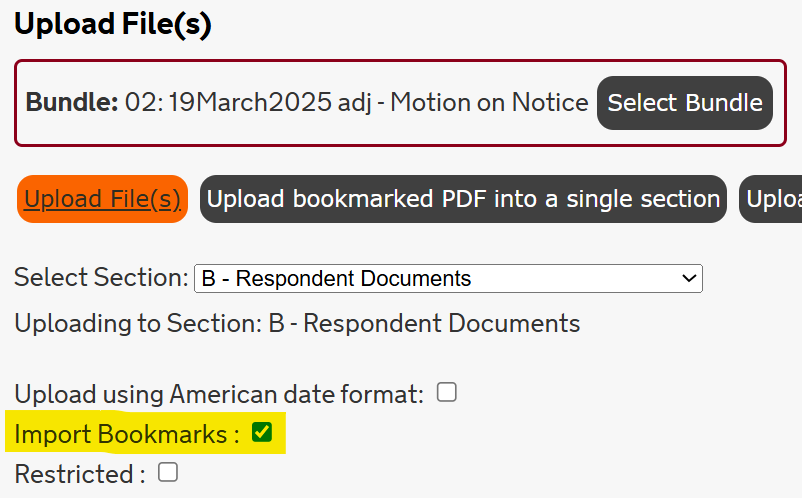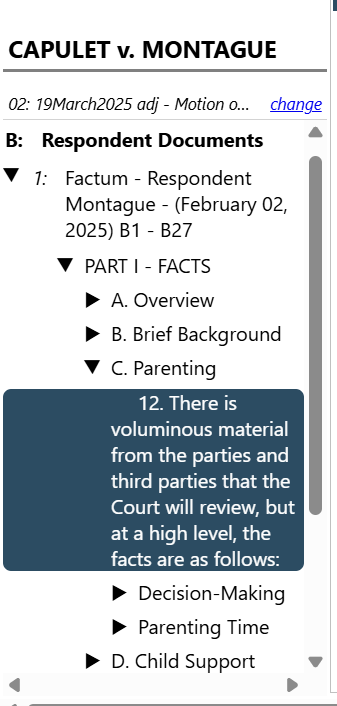
Each case in Case Center is organized into Bundles. These bundles act as a digital folder for specific hearings in the case. Counsel and parties will have access to the following bundles:
- The hearing bundle;
- The Orders and Endorsements bundle; and,
- The Pleadings bundle (for Civil and Family cases only).
Within each bundle are Sections. These sections represent the types of documents that will be accessible within each bundle. Counsel and parties will see sections for specific party types (i.e., “Applicant”, “Provincial Crown”, “Office of the Children’s Lawyer”) and document types (i.e., “Court Order”).
Below are tips on organizing and uploading documents into Case Center.
Important!
- In all Regions, except Toronto Region:
- For family cases outside of the Toronto Region,Court Services will upload filed documents to Case Center on behalf of self-represented persons. To avoid duplication, self-represented persons in family cases will not be permitted to upload materials to Case Center until the trial stage of the case
-
- For civil cases, outside of the Toronto Region, self-represented persons should attempt to upload documents to Case Center, where possible. Court Services will review event bundles and, where appropriate, take steps to ensure that the self-represented person’s filed materials are available in Case Center for the judicial officer presiding at the event.
- In the Toronto Region:
- Effective October 14, 2025, Documents accepted for filing through the Ontario Courts Public Portal in civil, family, Small Claims, and Divisional Court cases will be automatically uploaded to Case Center. Refer to the Toronto Region Consolidated Practice Direction for more information.